
We human beings are animals of habit: we tend to always do the same things, always have the same schedule, always travel the same roads. Think, for example, about the routes you take when you run: how many do you have? One, or at most two, for each distance?
It is natural, don’t worry. It is our brain that tends to simplify things as much as possible so as not to consume too many resources. Changing habits, streets, environments, always requires more concentration and attention while–by natural predisposition–we tend to prefer activities that allow us to “think about something else.” Perhaps this is the real multitasking of our brains: having one main “process” taking up more resources and others going almost automatically, in the background (to misuse computer language).
This is probably the main obstacle that prevents us from discovering new paths when we run or do outdoor activities.
However, we are helped by a tool that all of us Garmin sportwatch owners have:
Garmin Connect
.
We generally only use Connect to look at our workouts, but there is a feature in the Workout section called Pathways. And guess what it does? It allows us to plan a route, see those closest to us, discover them if we are in unfamiliar areas (like when we go on vacation, for example).
But, to better understand how it works, let’s give three examples.
1. I want to do a trail but don’t know the trails
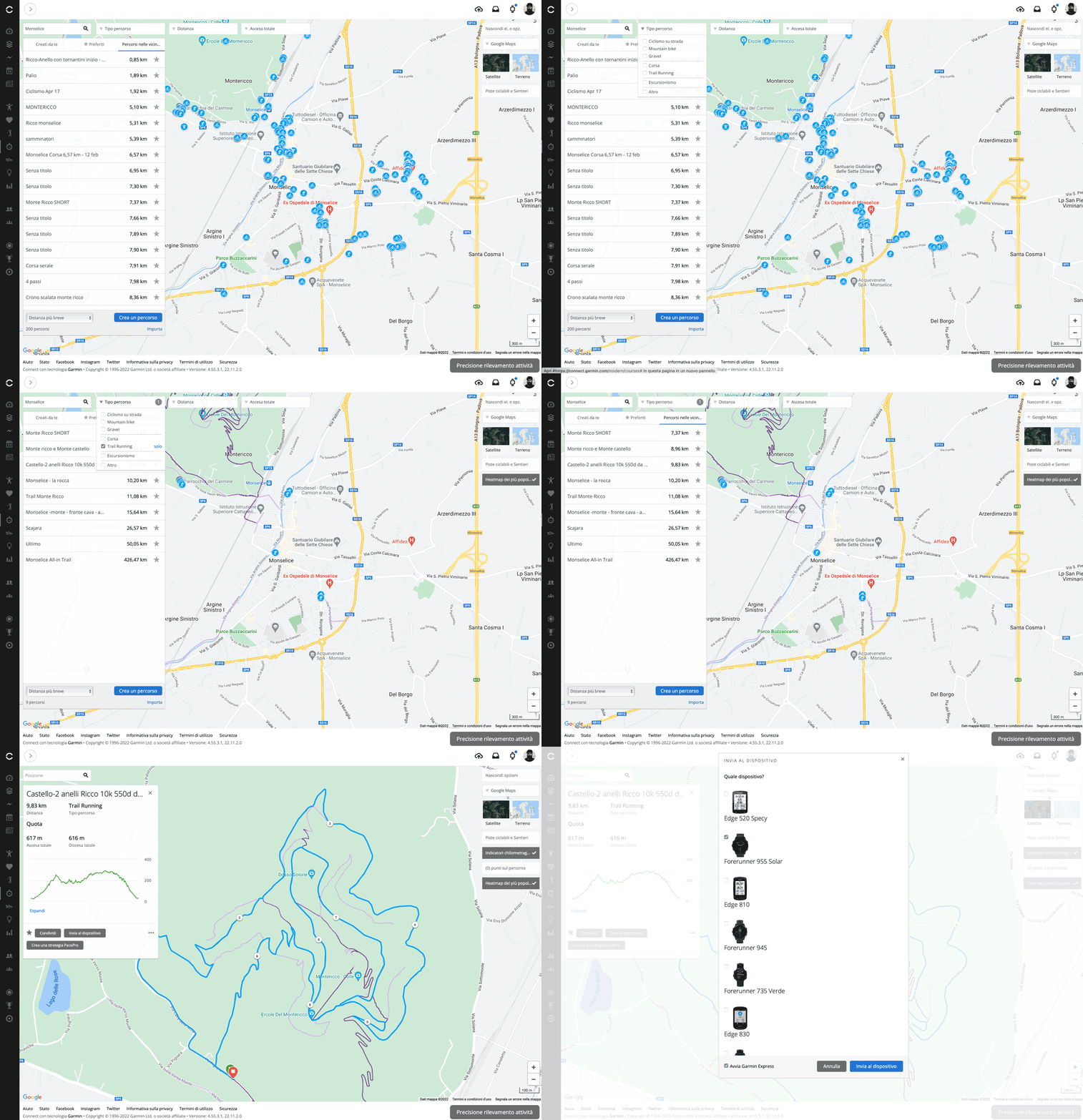
Open Connect. Go to “Workout” in the left-hand menu and then click on “Routes,” filter the type of activity, click the “Routes Near You” tab, and the routes near you appear. You select the one you like best and look at the details.
Do you like it and are you convinced? Well, now you can send it directly to your device that will guide you through the activity.
It’s basically like having dozens, hundreds, thousands of friends suggesting where to run and where they have run. But it doesn’t end there: you can also set a strategy
PacePro
so that-in addition to guiding you on the road-the Garmin sportwatch also suggests how hard to go along the route, thus avoiding running out of energy before the end of your route.
2. I’m on vacation in Paris and don’t know where to run
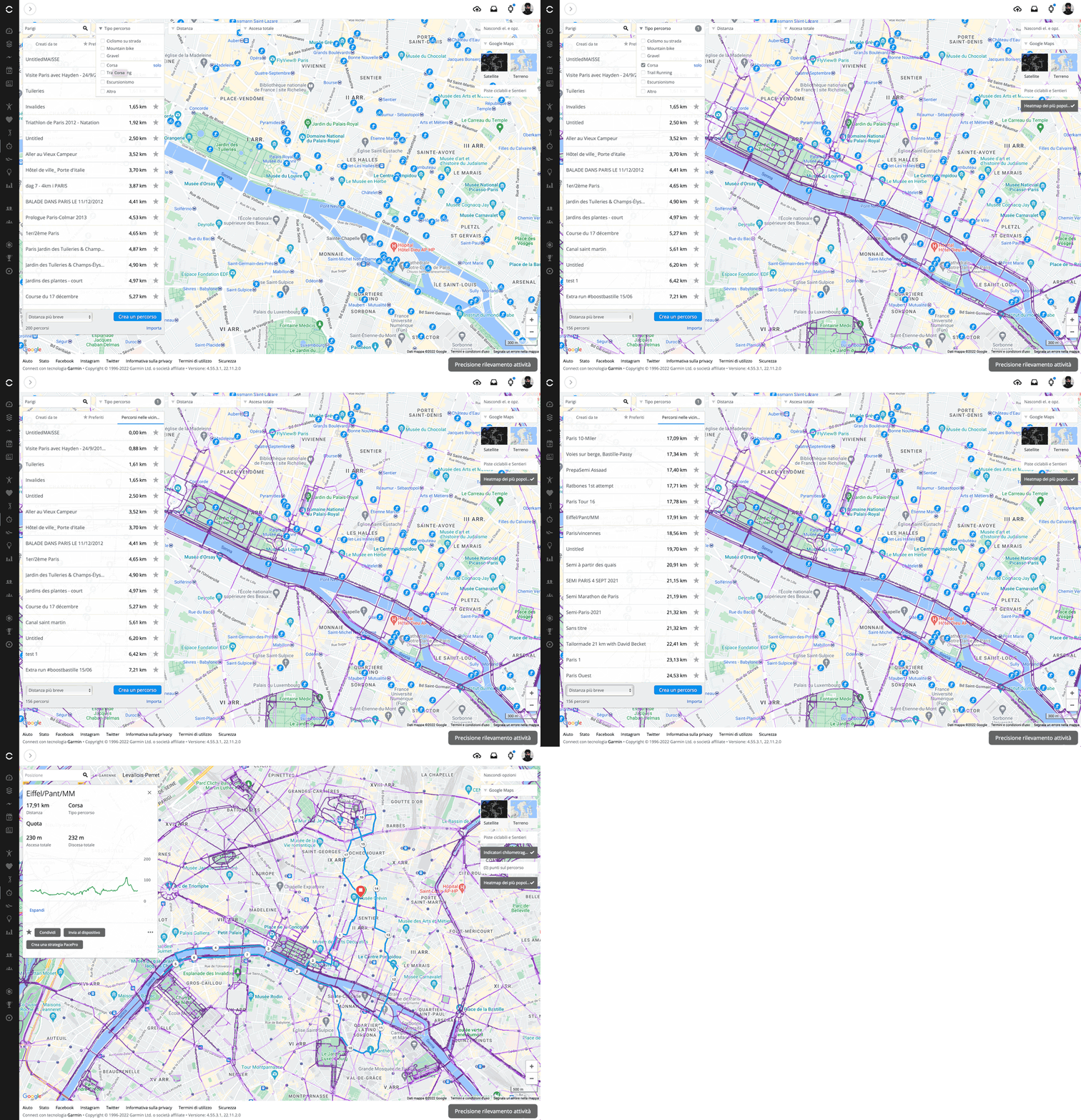
This one is even easier: you open routes, select the type of activity, position yourself on the map (or search) near the place you’ll start from, and just choose the route that inspires you the most.
In big cities there is only one small “problem”: you might find hundreds of routes.
A small trick is then to sort the results by distance and look for those that best suit the time you have available or your level of training.
Again, you will not have to worry about direction but only about discovering the city, but always paying close attention to traffic.
3. Today’s training involves 12 km and I want to change the route
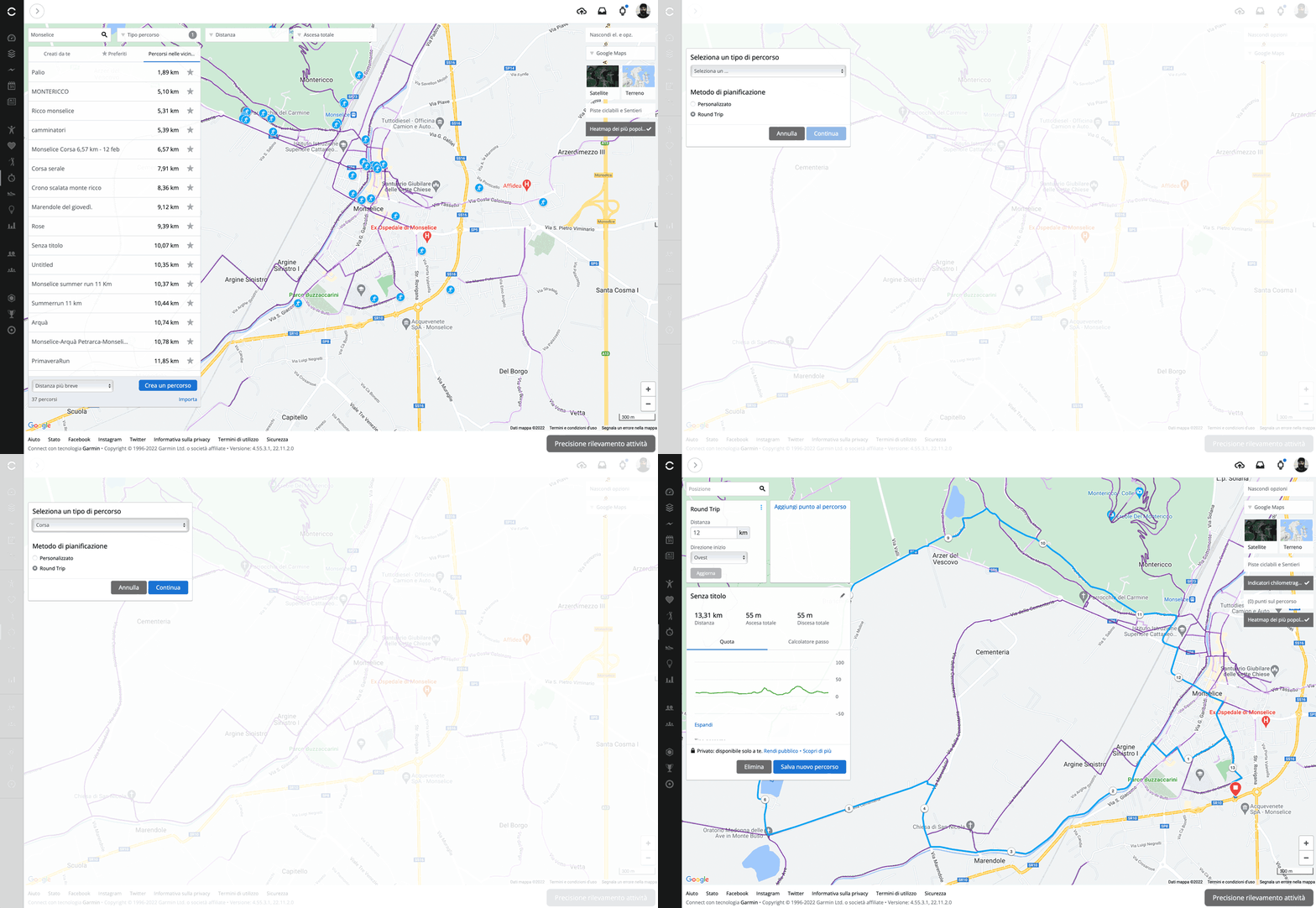
In this case you have two choices: you choose the roads you want to take or you give Garmin Connect a starting point, distance and direction, and it does the rest.
This is what the Routes app calls a “Round Trip,” which is a round trip in which the starting point coincides with the finishing point-the typical running training scenario.
To give you an example, I assumed I was starting here and going 12 km westward: Garmin Connect then returned a route of 13.31 km (distances can never be accurate to the meter, as you can imagine).
Clearly, the algorithm cross-references the data of distance, roads most frequently used in workouts, starting point, and gives you one of the possible route hypotheses to travel. However a new route that, again, you can send to your Garmin sportwatch and to which you can apply a pace strategy with PacePro.
And then all you have to do is enjoy the ride, always on different roads.